Harmony Registry · healthcare AI · cancer registries
A copilot for cancer registrars,
cited to the chart.
Harmony turns hours of manual chart abstraction into minutes of review - built on OncoLLM™, run inside the hospital, and cited to the exact chart line behind every field it fills.
- Role
- Senior Product Designer · designed Harmony 0 → 1
- Team
- 1 design · 1 PM · 3 eng · 2 QA · Triomics
- Timeline
- 2024 → now · in production
- Tools
- Figma · Claude · Figma Make · usability walkthroughs
94%
Fields accepted as-is
By expert abstractors, across 15,000+ data points.
75% ↓
Case abstraction time
Hours per case cut to a quarter - what remains is verification.
95%
Extraction accuracy
100+ data elements vs expert benchmarks · published preprint.
60% ↓
Case finding time
Reportable cases surface themselves instead of hiding in the pile.
figures from the published preprint & triomics.com · in production
Context
Cancer data is still manually abstracted. Trained abstractors read every chart, field by field, and submit to the registry.
01 · The work
Expensive, manual, repetitive
Registries, real-world evidence programs, and precision-oncology projects all depend on structured fields pulled from notes, faxes, and PDFs going back years.
02 · The quality
Error-prone by design
Hours of reading for a handful of fields invites transcription slips - and those errors ship straight to registry bodies.
03 · The people
A workforce burning out
Clinically trained abstractors are scarce, and cover-to-cover reading is the least clinical use of their skill set.
04 · The math
Volume outgrows readers
Chart volume grows faster than the people who can read it. The job Harmony takes on: turn reading into reviewing.
Users
Two roles, one queue. Both open the same case - one runs the team, one runs the review.
01 · Admin adjudicator
Assigns, and adjudicates
Distributes cases across the team and carries every reviewer power - assignment plus adjudication in one seat.
02 · Adjudicator
Reviews the AI's draft
Works assigned cases field by field: approves suggested values, edits with reasons, raises queries, marks cases complete.
My role
I designed Harmony end to end. Every screen, state, and flow - from the first workflow map to what's in production today.
01 · What I designed
The whole surface, from zero
The three-column case workspace, the field-card system and its states, the identifier re-sync flow, per-field queries and audit trails, and the case lifecycle.
02 · The bet
Verifying beats re-reading
Make verifying faster than re-reading. Every hierarchy, default, and state on the platform answers to that one line.
03 · The constraints
Registry-grade, zero patience
Registry-grade dictionaries (NAACCR · CoC · NPCR), fully auditable outputs, and clinical users with zero patience for errors.
Map the real workflow
Broke down how abstraction actually happens - the entities, the forms, the order people read in - before any screens.
Prototype in code
Clickable flows built with Claude and Figma Make in hours, so every debate happened against something real.
Validate with adjudicators
Feedback loops through pilot users doing real curation - their accepts, edits, and queries steered each cycle.
Ship, watch, revise
The accept-as-is rate became the design's own scoreboard - every release tried to move it.
The shift
Registrars stop filling blank forms. Harmony pre-fills every field with a cited value - their job becomes verifying it.
The bet behind the whole design: a drafted answer with its evidence attached is faster to check than a blank field is to fill. Nobody ever gets an empty form.
Before
Open a blank form. Read the chart until you find each answer. Re-read to be sure. Type it in. Repeat for every field, every case.
After
Open a drafted form. Every value carries its citation. Approve with one click, or edit with a reason. The form fills at the speed of judgment, not reading.
The engine: OncoLLM
How Harmony actually reads a chart. A small team of AI models, working in a pipeline, that drafts every registry field with its citation.
01 · Models
The AI workers
Onco-Chunker
Breaks long notes into readable parts
Onco-Retriever
Finds the chart lines that matter for each field
Onco-Generator
Drafts each registry field, one by one
Onco-Summarizer
Builds the oncology history at a glance
02 · Pipeline
How a chart gets read
Strips noise from raw notes, faxes, and PDFs.
Breaks the chart into readable, searchable sections.
Retrieves the lines relevant to each registry field.
Writes a suggested value for every field.
Attaches the exact source lines behind each value.
The chart · progress note
FAX COVER · PAGE 1/4 · MRN 71229 · CONFIDENTIAL
Imaging revealed a mass in the upper lobe of the right lung; biopsy confirmed adenocarcinoma.
Pathology: invasive adenocarcinoma, tumor measuring 1.66 cm, margins clear.
Patient counseled on treatment options; follow-up CT in three months.
The registry form · Tumor size
Playing on loop · fictional data
03 · Outputs
What adjudicators see
Drafted fields
Every registry field arrives pre-filled with the AI's suggested value - never a blank form.
Citations
Each value carries the exact chart lines it came from, highlighted in the source note.
Oncology history
A structured timeline of the patient's cancer story, for context while judging fields.
The product
01 · For adjudicators
“Is this value right?”
Field-level review. Every AI-drafted value carries citations into the chart - approve it as-is, or correct it with a reason.
02 · For admin adjudicators
“Where does every case stand?”
Worklist view. Assign cases, watch statuses move from Ready for review to Exported, and unblock open queries.
03 · For the registry
“What leaves the building?”
Export view. Completed cases ship as registry-ready JSON, with a full audit trail standing behind every field.
01 · the case review
Entities left, fields center, evidence right.
Three resizable columns mirror how adjudicators think: pick an entity, work its fields, keep the source in view. Progress counts judgments, not clicks.
Live interactive prototype - open a case, approve fields, raise queries. All patient data is fictional.
Open full screen ↗02 · The citation viewer
Every value points back to the exact line it came from.
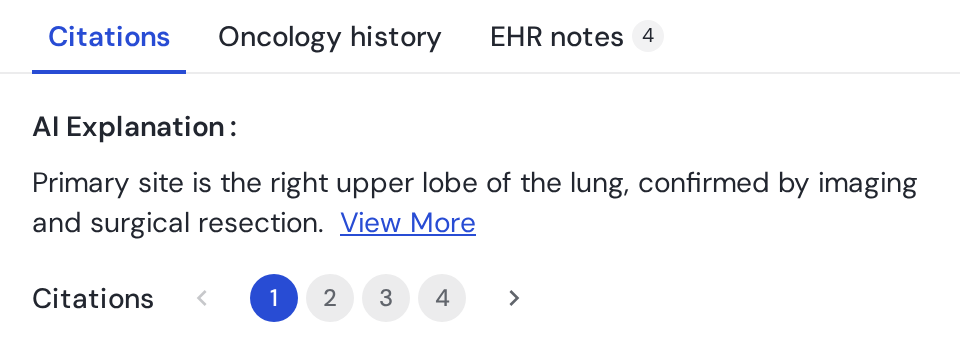
One plain-sentence reasoning, numbered citations, and each one opens the source with the evidence already highlighted. Skeptics can go as deep as they want without leaving the field.
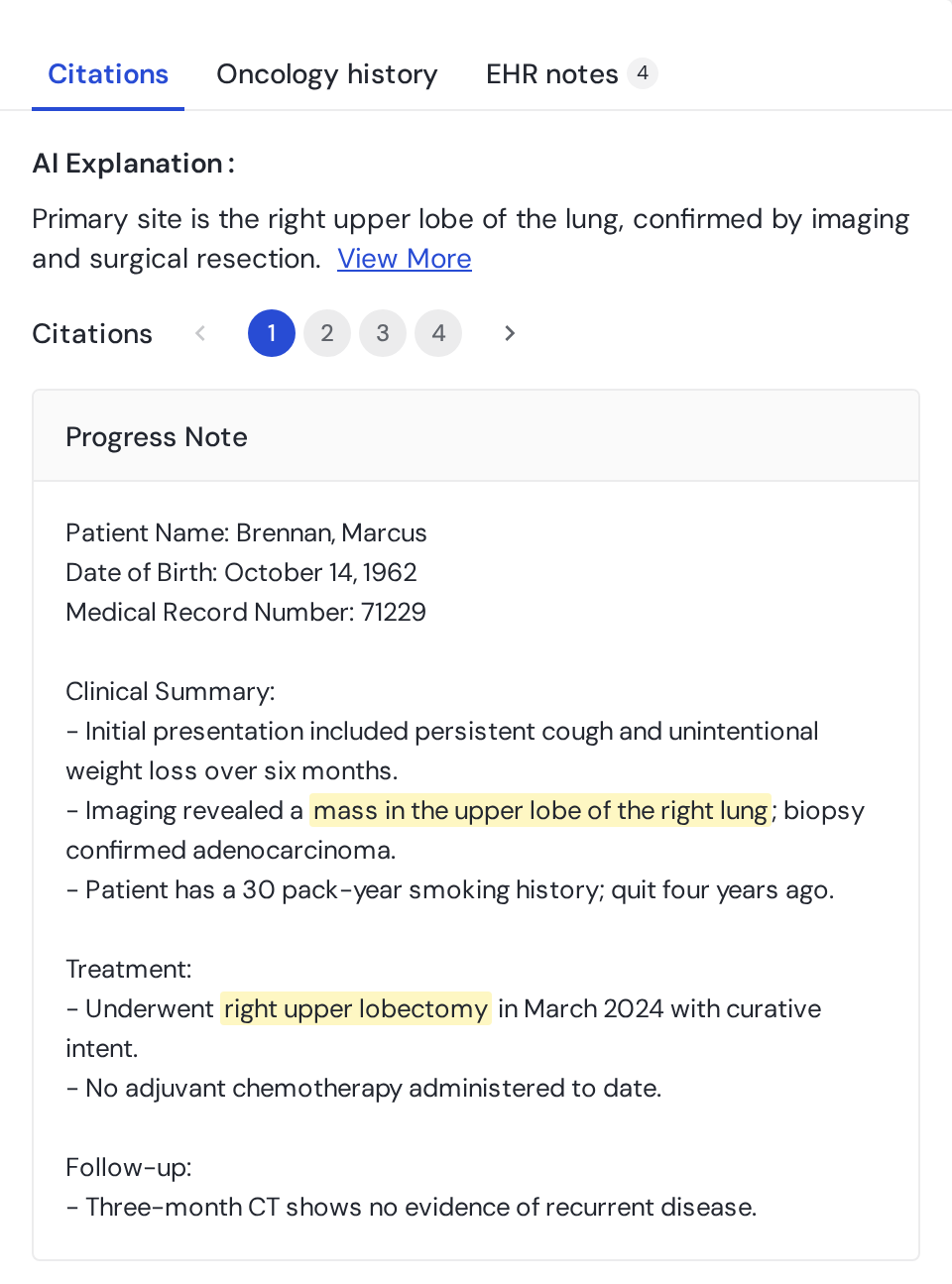
 “mass in the upper lobe of the right lung”
The citation viewer, in layers: the AI's one-line reasoning, its numbered citations, and the evidence highlighted in the source note. Fictional data.
03 · field-level queries & the audit trail
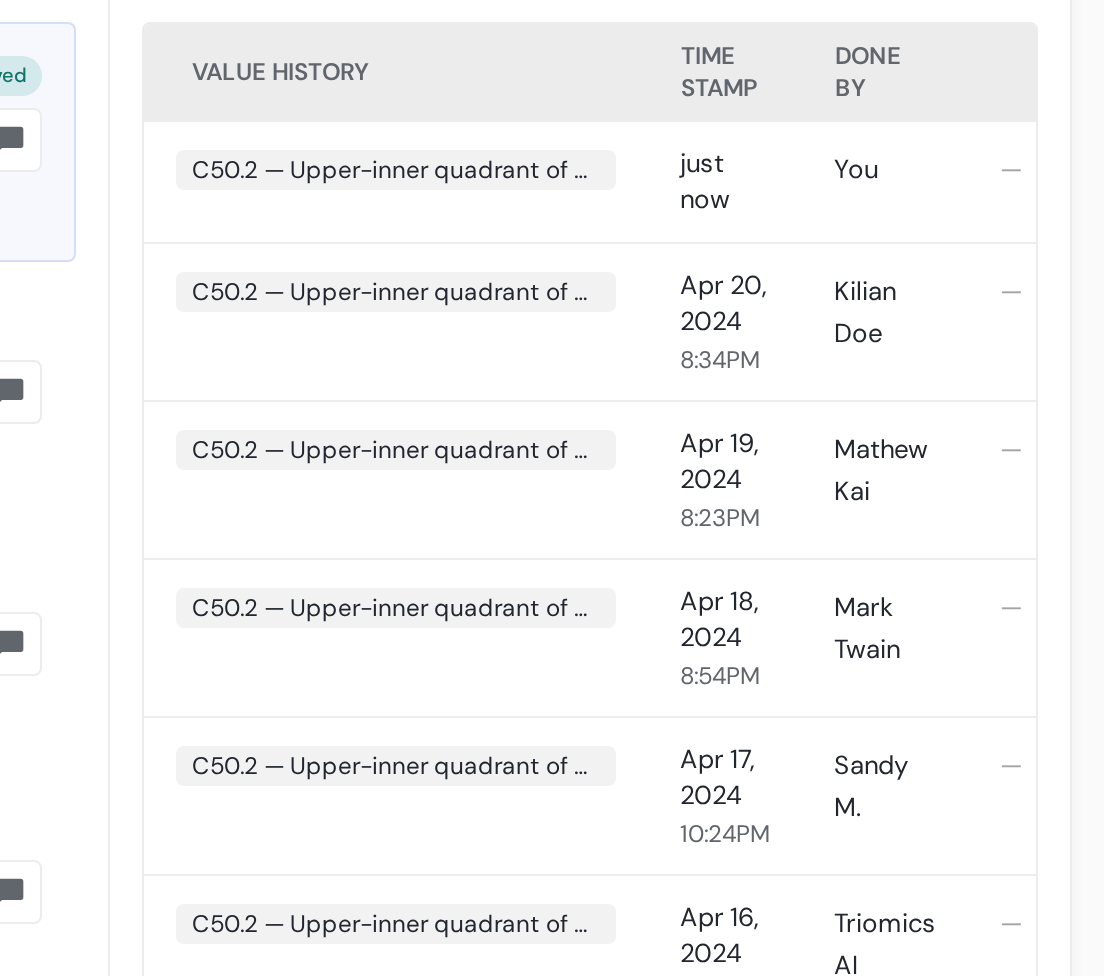
Every field keeps its own audit trail and query thread.
Every field carries its full story: every value it has held, who set it and why - with 'Triomics AI' signed like any human. Queries and audits roll up site-wide.
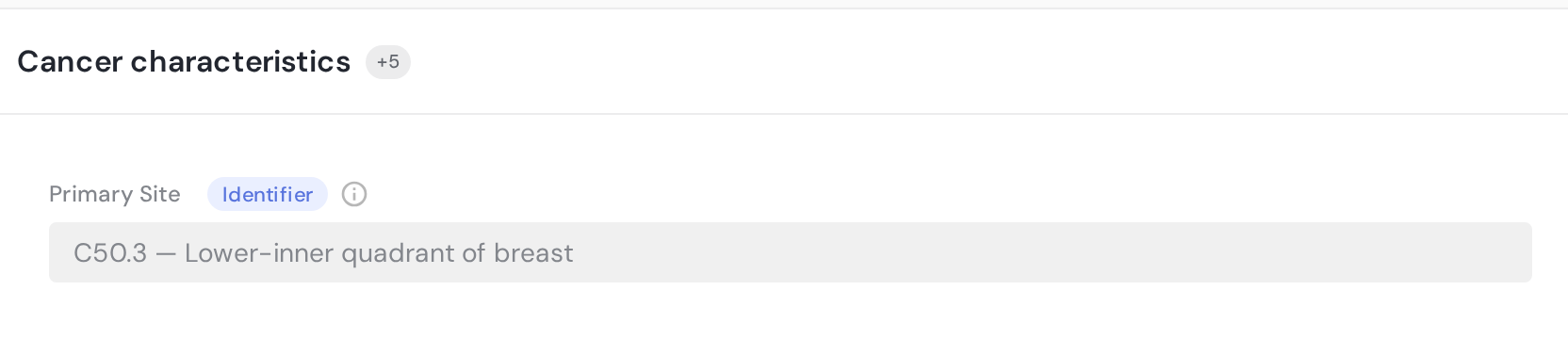
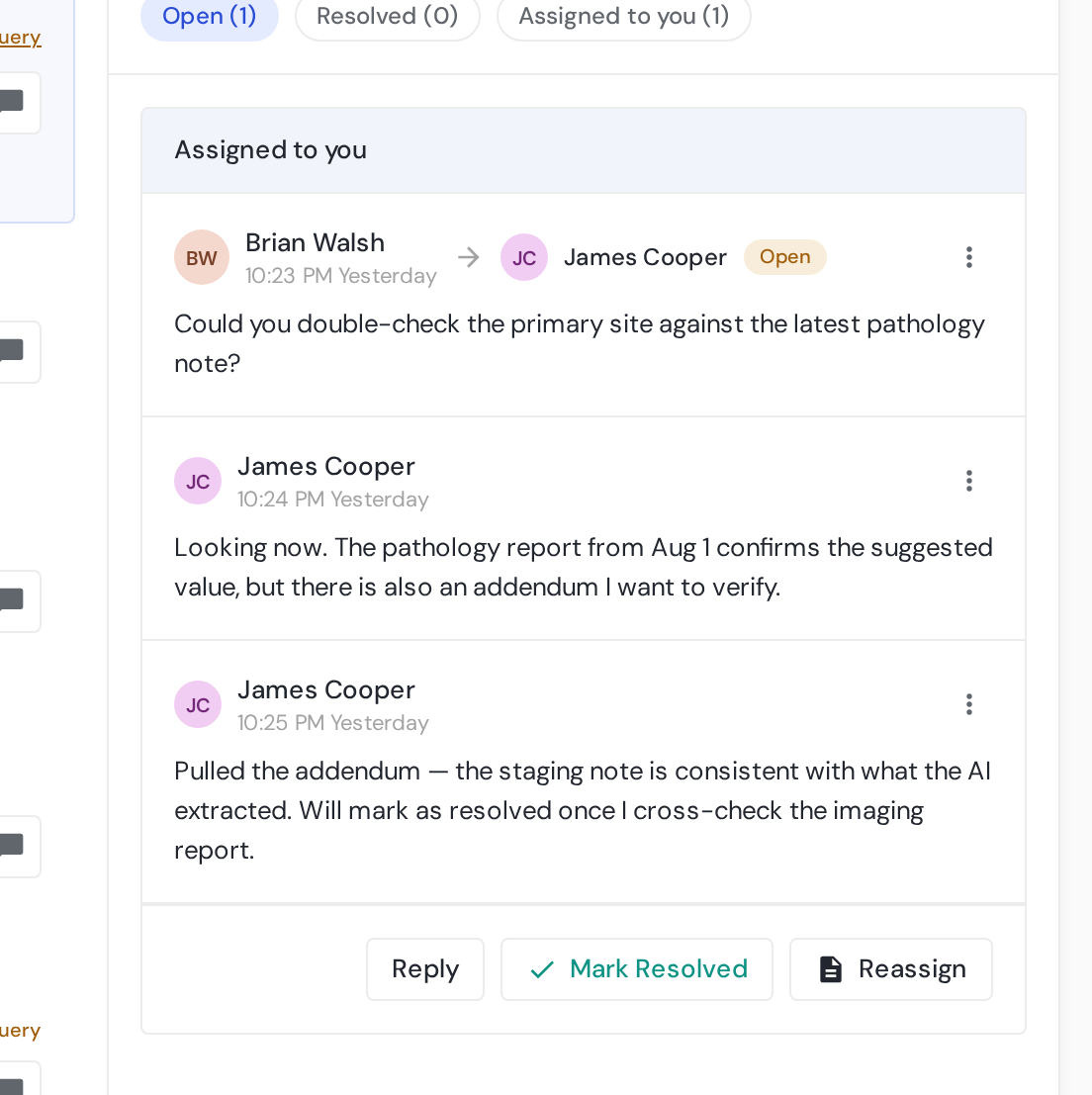 ✓ ApprovedTriomics AI · named author● 1 open query
Status chip → value history. Query badge → the thread. Both live beside the field, never on another page. Fictional data.
04 · field states
Approved and manually edited are different states - on purpose.
One card anatomy for every field: definition, value, citations, approve, query. Approve says the AI was right; edit marks it corrected - anyone reading later knows which.
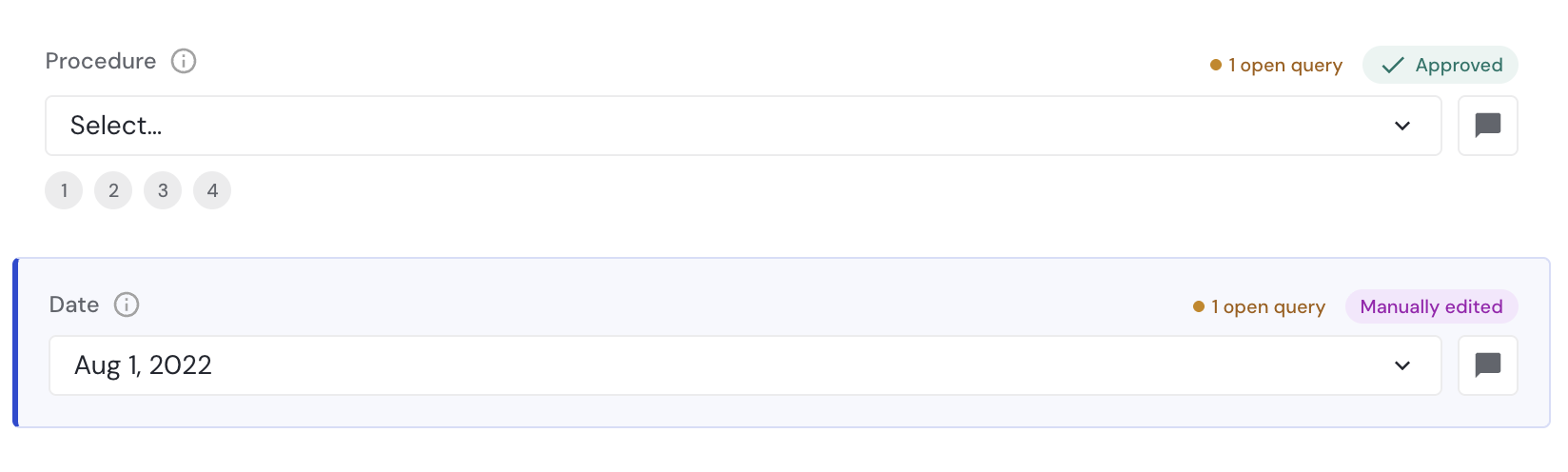 ✓ Approved · the AI was rightManually edited · a human corrected it
The two truths of a field: Approved (the AI was right) vs Manually edited (a human corrected it). Mutually exclusive, always visible. Fictional data.
Design decisions
The key design decisions, and why I made them.
Approved and Edited stay separate
One chip records whether the AI was right or a human corrected it - visible on every field, forever.
⚠ Some fields may be cleared
Approvals reset · audit trail preserved
Nothing resets silently
Re-syncing a case can clear approvals - so the modal states exactly what will be lost before anyone clicks.
Complete doesn't demand 100%
A case can be marked complete once the fields that matter are reviewed - the progress bar shows exactly how much was.
The AI is a named author
“Triomics AI” appears in the audit trail like any human - same table, same columns, same accountability.
Impact
What changed in a registrar's day.
The clearest way to read these numbers is as a workday. Same registrar, same charts, same registry deadlines - a different job.
Key takeaways
What this project taught me about designing AI for clinical work.
01
People trust answers they can check
Evidence one click away built more trust than any polish on the answer itself.
02
Let the AI say “I'm not sure”
Harmony never bluffed - so people believed it when it was sure.
03
The accept rate measures the design
94% accepted as-is measures whether the interface earns belief - the most honest design critique I've had.